
Table of contents
- Why You Can Trust This Comparison
- Jobber vs Housecall Pro: The Core Difference
- What Is Jobber, and Who Is It Built For?
- What Is Housecall Pro, and Who Is It Built For?
- Jobber vs Housecall Pro: Side-by-Side Comparison
- Jobber vs Housecall Pro Pricing: What You Actually Pay
- Jobber vs Housecall Pro: Feature-by-Feature Breakdown
- Jobber vs Housecall Pro: Full Feature Checklist
- Which One Fits Your Trade?
- Solo Operator or Managing a Team?
- How to Choose the Right One for Your Shop
- Should You Consider ServiceTitan Instead?
- The Revenue Leak Neither Jobber nor Housecall Pro Fixes
- The Verdict: Which One for Your Shop
- HVAC Living Grid
- FAQs
- Sources
Jobber vs Housecall Pro is the choice most home service owners weigh while they are on a job with their hands full and the phone is ringing. By the time you call back, the homeowner has already booked the company that picked up first. That missed call is the quiet story behind most Jobber vs Housecall Pro decisions. Both are excellent field service platforms, and neither one answers your phone.
This guide compares Jobber and Housecall Pro the way an owner actually lives with them: real ratings, real pricing, scheduling, marketing, QuickBooks, and the right fit for your trade and team size. Then it covers the part both leave on the table.
One note on where we sit. At ServiceAgent we answer the phones for hundreds of home service businesses, many of them running Jobber or Housecall Pro today, so we see exactly where each one leaks. We do not sell field service software, which is why the verdict below sends different owners to different tools.
Why You Can Trust This Comparison
- Star ratings, review counts, and user quotes come from G2, captured in July 2026. Ratings change over time, so check the current numbers before you decide.
- Pricing was pulled from each vendor's live pricing page. We compare the same billing terms and the same user count, never one platform's discounted rate against the other's.
- The strengths and gaps below reflect recurring themes across many reviews, not single complaints.
- We also draw on our own vantage: we handle live calls for home service businesses on both platforms every day.
Jobber vs Housecall Pro: The Core Difference
Jobber is built for simplicity and efficient scheduling. Housecall Pro is built for marketing and customer-facing growth. Both platforms handle scheduling, quoting, invoicing, and payments. They take you from a booked job to a paid invoice in one place.
The real difference is where each one is strongest, and what each one quietly gates behind a higher tier. That is what the rest of this comparison unpacks.
What Is Jobber, and Who Is It Built For?
Jobber is a field service management platform for home and commercial service businesses. It brings scheduling, quoting, invoicing, payments, and client communication into one clean, easy-to-learn app.
Best for: cleaning, landscaping, painting, and general contracting teams that value simplicity and efficient routing.
Key strengths:
- Native route optimization that sequences stops to cut drive time and fuel.
- A Client Hub where customers approve quotes and pay online.
- Flexible custom fields and workflows for different job types.
- Clean QuickBooks sync and clear, useful reporting.
- Shallow menus that a new crew can learn in a day.
What Real Jobber Users Say on G2
Jobber holds 4.6 of 5 on G2 across 526 reviews. Owners praise how much it automates, with a few asking for deeper reporting and batch tools.
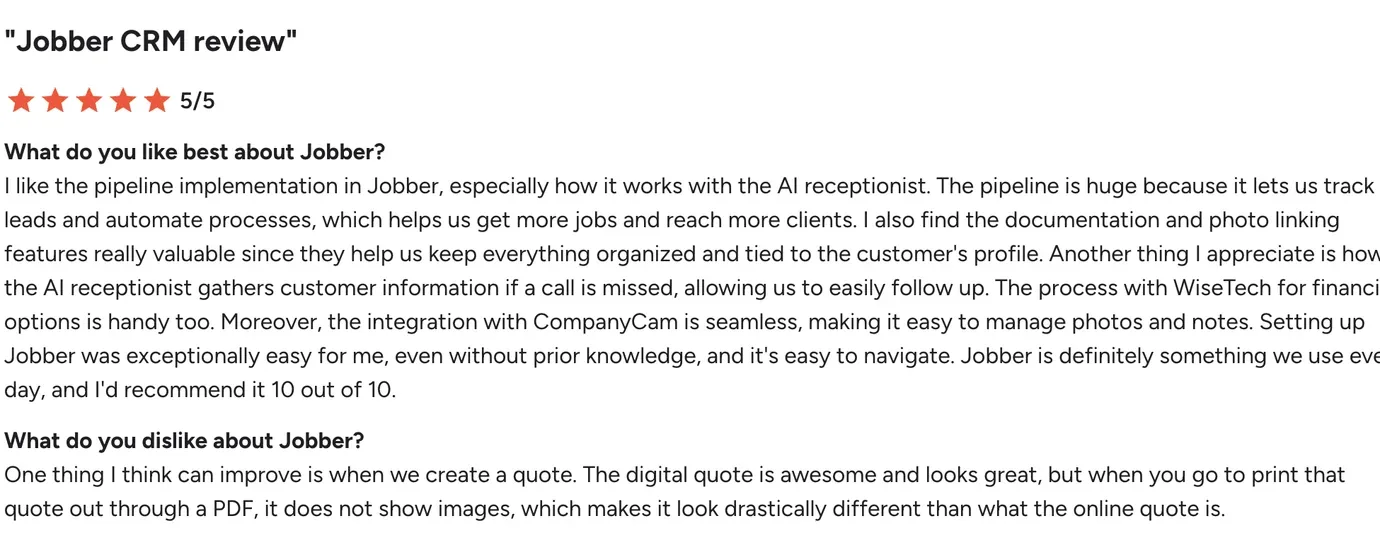
"I like the pipeline implementation in Jobber, especially how it works with the AI receptionist. The AI receptionist gathers customer information if a call is missed, allowing us to easily follow up."
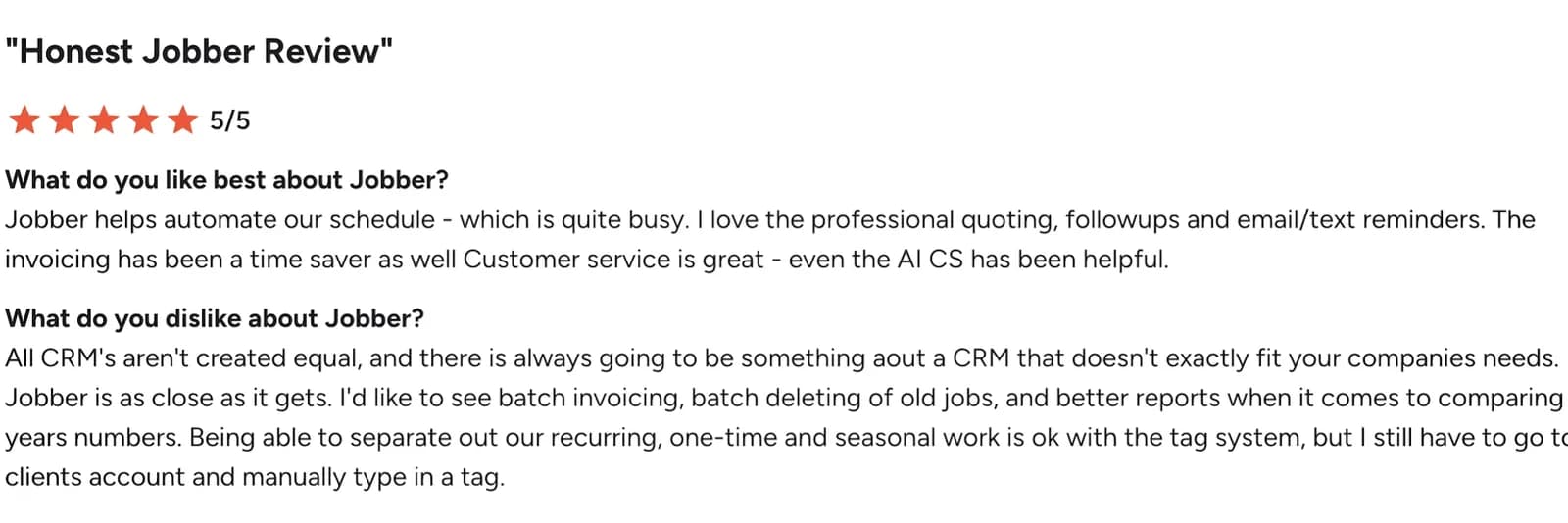
"I'd like to see batch invoicing, batch deleting of old jobs, and better reports when it comes to comparing last year's numbers."
What Is Housecall Pro, and Who Is It Built For?
Housecall Pro is a field service platform built for home service trades. It covers dispatching, scheduling, invoicing, and payments, with a heavy focus on marketing and customer-facing tools.
Best for: HVAC, plumbing, electrical, and appliance repair shops that want to market and sell more aggressively.
Key strengths:
- Built-in marketing with email, text, and postcard campaigns.
- Good, better, best sales proposals and a flat-rate price book.
- Deep two-way QuickBooks Online sync.
- Consumer financing for large jobs.
- Automated review requests and on-my-way texts.
What Real Housecall Pro Users Say on G2
Housecall Pro holds 4.3 of 5 on G2 across 204 reviews. Users love the support and customer-facing tools, with some wishing routing were built in rather than an add-on.

"I use Housecall Pro for running my business, and it makes things easier. I like their support, and I like that it focuses my Google and Facebook reviews. I give it a 10 out of 10."
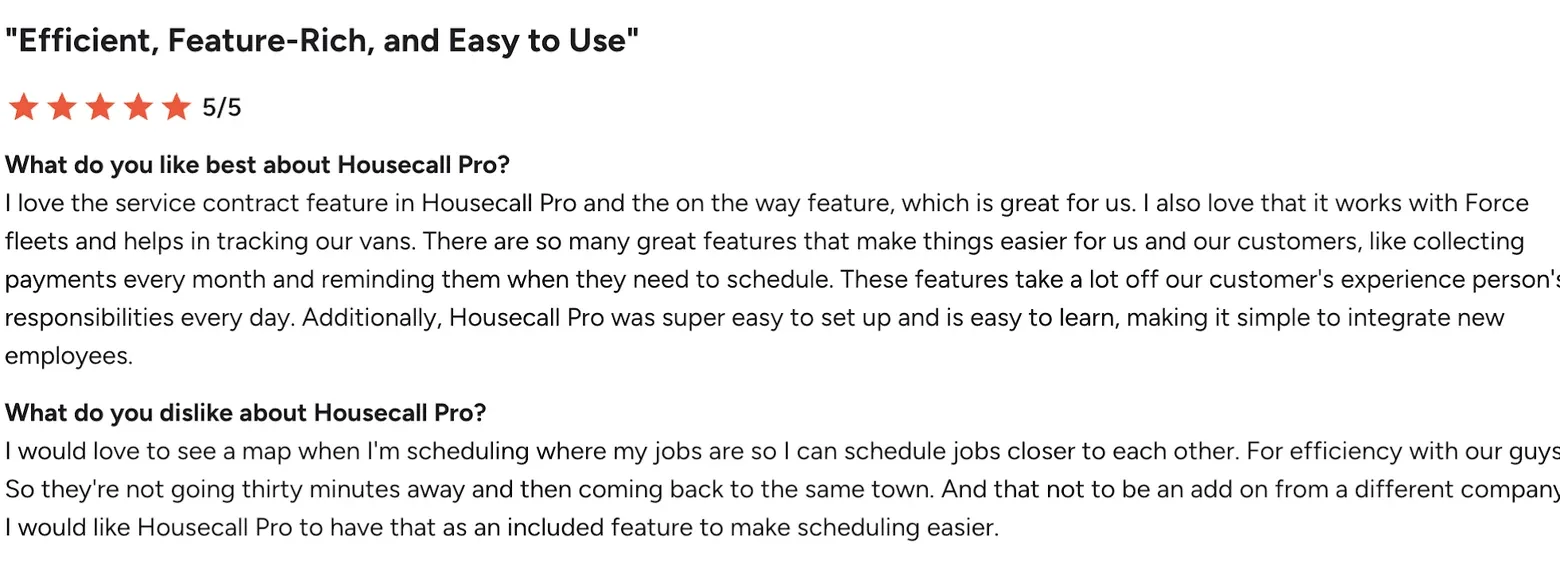
"I would love to see a map when I'm scheduling where my jobs are so I can schedule jobs closer to each other, and not have it be an add on from a different company."
Jobber vs Housecall Pro: Side-by-Side Comparison
Whether you searched Jobber vs Housecall Pro or Housecall Pro vs Jobber, here is the short version before we go dimension by dimension.
| Category | Jobber | Housecall Pro |
|---|---|---|
| Best for | Recurring, route-heavy work | Marketing-driven, high-ticket trades |
| Starting price (1 user) | $39 per month (Core) | $79 per month (Basic) |
| 5-user tier | $169 per month (Connect) | $189 per month (Essentials) |
| G2 rating | 4.6 of 5 (526 reviews) | 4.3 of 5 (204 reviews) |
| Scheduling and routing | Native route optimization | Strong dispatch and live ETAs |
| Marketing | Clean, standard automation | Aggressive campaigns and postcards |
| QuickBooks sync | Clean, reliable sync | Deep two-way sync |
| Consumer financing | Not built in | Built in for large jobs |
| Answers your phone | No | No |
Jobber vs Housecall Pro Pricing: What You Actually Pay
Price is the first thing most owners check, so we will start there. Both platforms advertise a low starting price, then move the features growing shops need into higher tiers or add-ons. The headline number is rarely what you pay.
What Jobber Really Costs a Small Team
- Core: $39 per month, 1 user.
- Connect: $169 per month, up to 5 users.
- Grow: $349 per month, up to 10 users.
- Plus: $599 per month, up to 15 users.
Extra users past the cap run about $29 each per month. Card processing is roughly 2.9 percent plus 30 cents per transaction.
What Housecall Pro Really Costs a Small Team
- Basic: $79 per month, 1 user.
- Essentials: $189 per month, up to 5 users.
- MAX: $329 per month, up to 8 users.
Marketing automation, review requests, and richer dispatch live from Essentials up. Some advanced features and fleet GPS can cost extra.
The Hidden Fees That Change the Math
Worked example: a 5-person shop with 2 in the office and 3 in the field pays about $169 per month on Jobber Connect, versus $189 per month on Housecall Essentials. Jobber is usually a little cheaper at comparable tiers, but Housecall includes more marketing at the same level.
On both platforms the advertised price is the floor, not the ceiling. Four things move the real number:
- Per-user fees once you pass the plan cap.
- Features gated one tier above where you expect them.
- Add-ons for advanced routing or marketing.
- Payment processing on every card transaction.
Then there is billing. The lowest rate almost always means paying a full year up front, and monthly billing costs more. Compare annual to annual, or monthly to monthly, never one against the other.
Jobber vs Housecall Pro: Feature-by-Feature Breakdown
Both cover the core jobs. Here is where each one pulls ahead, dimension by dimension.
Scheduling and Dispatch
This is one of Jobber's strongest areas. Its native route optimization sequences multi-stop days to cut drive time and fuel, with no third-party tool needed.
Housecall Pro schedules and dispatches well too, with strong real-time dispatching and automatic on-my-way texts.
Edge: Jobber for native routing, Housecall Pro for polished dispatch and customer ETAs.
GPS Tracking and Route Optimization
Jobber plots the most efficient sequence of stops and adds vehicle and fleet tracking through an integration partner. For crews that live and die by drive time, this is a daily saver.
Housecall Pro offers live technician locations and vehicle tracking, often through an add-on, but its native routing is lighter than Jobber's.
Edge: Jobber, clearly, for routing and fuel savings.
Marketing and Customer Communication
This is where Housecall Pro pulls ahead. It ships with trigger-based email and text campaigns, automated review requests, and even postcard mailers for seasonal tune-ups.
Jobber's marketing is cleaner and more standard: automatic quote follow-ups, invoice reminders, and Client Hub outreach.
Edge: Housecall Pro, clearly, if marketing automation is a priority.
Online Booking and Client Experience
Both let customers book online. Jobber's Client Hub is a clean self-service portal where clients approve quotes and pay invoices. Housecall Pro pairs online booking with polished review requests and on-my-way texts, so the customer-facing experience feels a little more consumer-grade.
Edge: close, with Housecall Pro slightly ahead on customer-facing polish.
Invoicing, Payments, and QuickBooks
Both quote, invoice, and take payment cleanly, with card processing around 2.9 percent plus 30 cents. Housecall Pro is known for a deep two-way QuickBooks Online sync and built-in consumer financing for large jobs. Jobber's QuickBooks sync is clean and enough for most shops.
Edge: Housecall Pro for two-way accounting and financing, Jobber for simple, reliable invoicing.
Reporting and Insights
Jobber has the deeper reporting of the two. You can see revenue by service type, technician performance, and job profitability without exporting to a spreadsheet. Housecall Pro reports well on the essentials and ties neatly to its marketing data, but power users tend to find Jobber's reporting richer.
Edge: Jobber, if you run the business by the numbers.
Time Tracking
Both track time against jobs and crews. Housecall Pro includes automatic time tracking on higher tiers, which cuts manual entry. Some solo Jobber users find its time tracking more than they need and log hours manually, a common note in reviews.
Edge: Housecall Pro for hands-off time tracking, Jobber for simple manual logging.
Integrations
Both connect to QuickBooks Online and reach thousands of apps through Zapier. Jobber also offers direct connections such as Gusto for payroll. Housecall Pro leans on its deep QuickBooks sync and its own marketing stack, so you may rely less on outside tools.
Edge: close, with Jobber a bit more open through direct integrations.
Customization and Workflows
Jobber is the more flexible of the two. Custom fields and configurable workflows let you shape it around varied job types. Housecall Pro is more opinionated, which makes it faster to set up but harder to bend to an unusual process.
Edge: Jobber, for shops with non-standard workflows.
Ease of Use and Onboarding
Both are quick to start. Jobber is loved for shallow, simple menus that need almost no training. Housecall Pro is known for getting shops live in days with hands-on onboarding.
Edge: close, leaning Jobber for the simplest day-to-day interface.
Jobber vs Housecall Pro: Full Feature Checklist
If you would rather scan than read, here is the feature verdict in one view.
| Feature | Jobber | Housecall Pro |
|---|---|---|
| Online booking and client portal | Yes, Client Hub | Yes |
| Native route optimization | Yes | Light, add-on for fleets |
| Marketing campaigns (email, text, postcard) | Basic | Advanced |
| Good, better, best sales proposals | No | Yes |
| Flat-rate price book | No | Yes |
| Two-way QuickBooks sync | Basic | Deep |
| Consumer financing | No | Yes |
| Automatic time tracking | Manual | Yes, higher tiers |
| Custom fields and workflows | Strong | Limited |
| Reporting depth | Deep | Standard |
| Review management | Basic | Advanced |
Which One Fits Your Trade?
Your trade points to a clear favorite. Find yours below.
| Trade | Better fit | Why |
|---|---|---|
| Cleaning and recurring | Jobber | Recurring jobs, multi-crew routing, and self-service booking |
| Landscaping and lawn care | Jobber | Route optimization across many stops a day |
| HVAC | Housecall Pro | Flat-rate price book and good, better, best proposals |
| Plumbing and electrical | Housecall Pro | High-ticket sales tools and aggressive marketing |
| Appliance repair | Housecall Pro | Consumer financing and customer-facing tools |
| General contracting and handyman | Jobber | Deep custom fields and flexible workflows |
Solo Operator or Managing a Team?
Team size changes the math as much as your trade does. If you are running solo, the deciding factor is how fast you get value with no office help. Jobber's low entry price and shallow menus let you schedule and invoice on day one. Housecall costs a little more but hands you marketing, on-my-way texts, and review requests out of the box.
Best pick, solo: Jobber to stay simple and cheap, Housecall if you want marketing built in.
With a team, the day runs on dispatch and coordination. Jobber's native routing and custom workflows shine when crews cover many stops. Housecall's real-time dispatch, team chat, and two-way QuickBooks keep a busy back office aligned.
Best pick, team: Jobber if routing drives your costs, Housecall if marketing and dispatch drive your growth.
How to Choose the Right One for Your Shop
It comes down to two questions: what does your day run on, and what drives your growth?
Choose Jobber If
- Your crews run many stops a day and routing efficiency saves real money.
- You run recurring or visit-based work like cleaning or landscaping.
- You want the simplest tool for your team to learn.
- You value clean reporting and customizable workflows.
Choose Housecall Pro If
- Marketing and repeat business drive your growth.
- You sell high-ticket jobs and want good, better, best proposals.
- You need deep two-way QuickBooks sync or consumer financing.
- You work in HVAC, plumbing, or electrical.
Should You Consider ServiceTitan Instead?
Many owners weighing Jobber vs Housecall Pro also look at ServiceTitan, so here is an honest placement. ServiceTitan is an enterprise-grade platform built for larger home service and commercial operations. It goes deeper than Jobber or Housecall Pro on dispatching, payroll, inventory, and reporting, and it is the tool many big HVAC, plumbing, and electrical companies grow into.
That depth comes at a cost. Pricing is custom and quote-based, usually well above Jobber and Housecall Pro, and the rollout is heavier. Most shops need dedicated office staff and a few months to get full value out of it.
Consider ServiceTitan when:
- You run roughly 20 or more technicians across multiple crews or locations.
- You need deep payroll, inventory, and job costing in one system.
- You have office staff to manage a longer setup.
Stick with Jobber or Housecall Pro when:
- You are a solo operator or a small-to-mid team.
- You want to be live in days, not months.
- You want clear, published pricing without a sales call.
For most shops in this comparison, ServiceTitan is more platform than the business needs today. It becomes the right move once you outgrow what Jobber or Housecall Pro can hold.
The Revenue Leak Neither Jobber nor Housecall Pro Fixes
Here is the part almost no comparison mentions. Both platforms manage the work you have already won. Neither one answers the phone when a new customer calls.
That gap, not the feature list, is where most owners lose the most money.
Every Missed Call Is a Booked Job for Your Competitor
In home services, a missed call does not wait. The homeowner dials the next company on the list within a minute.
Picture a shop that misses three calls a day at a $450 average ticket. That is about $1,350 a day, and more than $30,000 a month, that never even becomes a lead in Jobber or Housecall.
Your software cannot book a call it never receives.
Why a Generic AI Receptionist Still Loses the Job
The obvious fix is a generic answering service or AI receptionist, and some platforms now bundle one. The problem is that a generic bot does not know your trade.
It cannot tell an emergency from a routine request, skips the questions a real dispatcher would ask, and reads a script that makes the caller feel like a ticket number. Homeowners notice, and they hang up.
How Trade-Trained Intake Actually Books It
Intake trained on your specific trade answers like a seasoned dispatcher. For HVAC it asks about the system and the symptom. For plumbing it separates a burst pipe from a slow drain and sends the real emergency to a human right away.
It qualifies the lead, books the job into your calendar, and logs it in the CRM you already use, whether that is Jobber or Housecall Pro. It works nights, weekends, and the hours your hands are full.
The Verdict: Which One for Your Shop
Both Jobber and Housecall Pro are strong, and the reviews back that up. The right one depends on your trade and your priorities: Jobber for routing and simplicity, Housecall Pro for marketing and high-ticket sales. But the bigger decision is the one the comparison hides. Whichever platform you pick, it does not answer your phone.
Trade-trained intake sits in front of your software and captures the calls both let slip, then books them into your calendar and CRM. For a solo operator, that means never losing a job while your hands are full. For a team, it means staying booked without hiring another receptionist.
Pick the platform that fits your trade. Then close the leak in front of it. That is exactly what ServiceAgent does.
First-party data
Where these tools sit on our HVAC Living Grid
ServiceAgent publishes this market map and scores itself by the same rubric as every other vendor, from public reviews, vendor sites and changelogs. Scores are 0–100 as of Jul 2026.
- Operational Satisfaction
- How satisfied operators sound in public reviews.
- Operations Breadth × Trade-Nativeness
- How much of the front office a tool runs, and how built for the trade it is.
| Tool | Quadrant | Satisfaction | Breadth | Head to head |
|---|---|---|---|---|
| ServiceTitan | Leaders | 82 | 68 | Compare |
| Housecall Pro | Leaders | 78 | 62 | Compare |
| Jobber | Leaders | 55 | 52 | Compare |
| ServiceAgentThat’s us | Leaders | 82 | 81 | All comparisons |
Source: ServiceAgent Living Grid, HVAC (Jul 2026). How we score · Market Pulse
Frequently Asked Questions
The questions home service operators ask most often.
What is the real cost difference between Jobber and Housecall Pro?
Jobber is usually a little cheaper at comparable tiers. Its Core plan is $39 per month versus Housecall's $79 Basic, and at five users Connect is $169 versus Essentials at $189. Once you add per-user fees, add-ons, and payment processing, total cost depends more on which features you need than on the headline price.
Which has better reviews, Jobber or Housecall Pro?
Both rate highly. On G2, Jobber holds 4.6 of 5 across 526 reviews and Housecall Pro 4.3 across 204 reviews. The gap is modest, so fit matters more than the score.
Do Jobber and Housecall Pro sync two-way with QuickBooks?
Both integrate with QuickBooks Online. Housecall Pro is known for a deeper two-way sync, while Jobber offers a clean sync that is enough for many shops. If two-way accounting is central to your books, Housecall has the edge.
Which is better for a solo operator versus a team?
Solo operators often prefer Jobber for its low entry price and simple menus, or Housecall for more built-in marketing. Teams lean Jobber for native routing and Housecall for real-time dispatch and two-way QuickBooks.
Which is best for my trade?
Cleaning, landscaping, and general contracting lean Jobber. HVAC, plumbing, and electrical lean Housecall Pro for its flat-rate price book and sales proposals.
Does either Jobber or Housecall Pro answer your phone after hours?
No. Both manage jobs you have already booked, but neither answers inbound calls or captures leads when you cannot pick up. That is a separate layer, and it is where trade-trained intake like ServiceAgent fits in.
Sources
Figures and ratings in this article trace back to these pages.
- 1.Jobber on G2 · G2
- 2.Housecall Pro on G2 · G2
Who worked on this

Shaambhav Shankar
Growth & Product Marketing, ServiceAgent
Leads growth and product marketing for ServiceAgent at SaaS Labs, where he has worked in product marketing since 2020. Writes the blog's coverage of AI call answering, CRM and home-services operations.
Related reading

Jobber vs ServiceTitan: Which Field Service Platform Should You Choose in 2026?
Jobber vs ServiceTitan compared for 2026: real G2 ratings, true year-one cost at three crew sizes, implementation reality, and the best fit by trade, plus the gap both leave open.